Nature Unlock
Lock the apps that steal your hours. To open them again, step outside and photograph real nature — a tree, a flower, or your hand on the grass. Screenshots don't fool it.
Recognised by

The feed is engineered. Your defence should be too.
Infinite scroll, autoplay, and variable rewards are built to remove every natural stopping point. Telling yourself “just five more minutes” rarely wins against software designed by hundreds of engineers. So Nature Unlock changes the game instead of fighting it.
~7 hrs
the average person's daily screen time
100+
times we check our phones a day — often without deciding to
0
natural stopping points in an endless feed — by design
How Nature Unlock helps
It borrows a simple idea from behavioural science — add a little friction, then offer a better thing to do. A “pause and substitute” nudge beats relying on self-control alone.
Friction, not willpower
A short, deliberate pause breaks the autopilot reach-for-your-phone habit — the moment most willpower fails.
A real reward
Instead of another timer to tap past, you swap the feed for a few genuine minutes outside.
Access you earn
Apps reopen because you did something real — not just because your thumb wandered to the icon.
Figures are rounded from public digital-use research (DataReportal digital reports, Asurion phone-use studies) and the digital-wellness movement — see the Center for Humane Technology and Cal Newport’s “Digital Minimalism”.
Four steps between you and the scroll.
A small bit of friction, a real reward, and your attention quietly comes back to you.
Lock what pulls you in
Pick the apps — and websites — that steal your time. Nature Unlock seals them shut using Apple Screen Time on iPhone and an accessibility guard on Android.
Step outside
Reach for a locked app and you're nudged toward the door instead of an endless feed.
Photograph real nature
Snap a tree, a flower, or your hand on the grass or snow. On-device + AI vision checks it's genuine — screenshots and photos-of-photos won't pass.
Apps unlock
Your apps open for the session you chose — earned, not endless. It also keeps your break-day streak alive.
Your unlock photos are used only to detect nature — never stored, shared, or sold.
Built to break the two worst habits
Endless scrolling and constant distraction. See exactly how Nature Unlock shuts both down.
Less feed. More field.
Every block is a nudge back to the real world — the calm canvas the scroll keeps stealing.
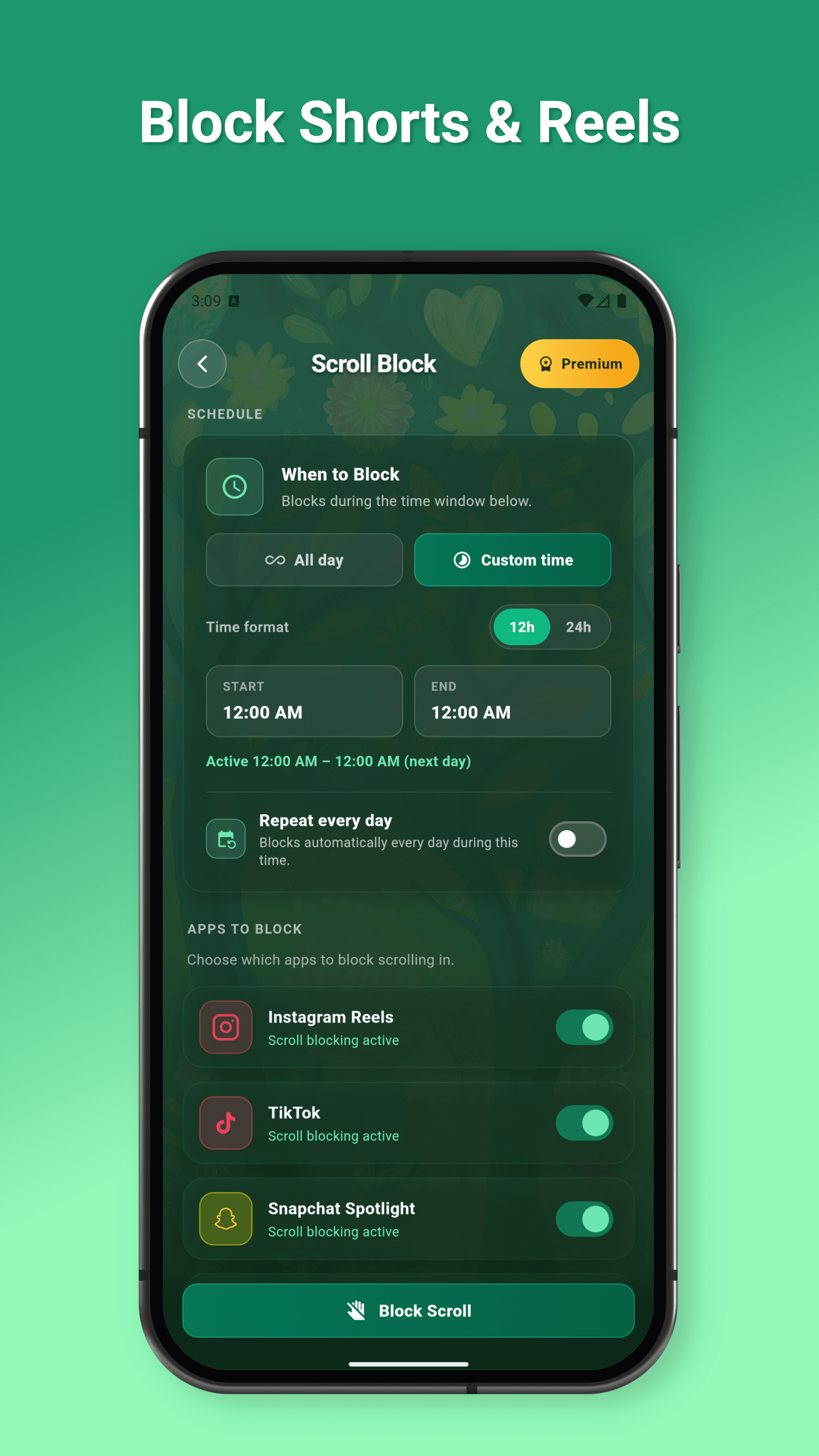
Scroll Blocker
Android exclusiveCuts the bottomless feeds at the source — TikTok, Instagram Reels, YouTube Shorts and Snapchat Spotlight. The rest of each app still works; the endless scroll doesn't.
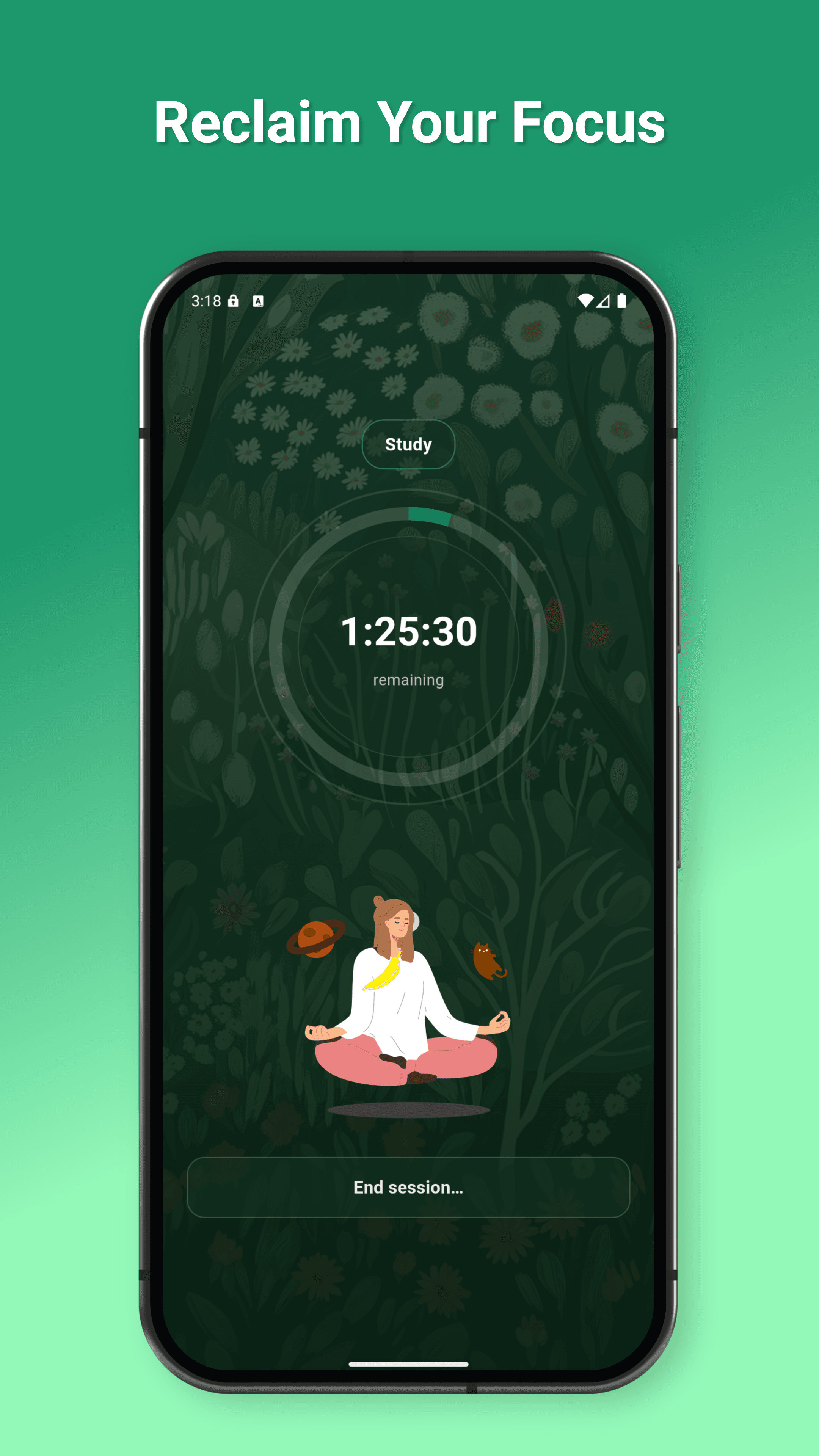
Focus Mode
iOS & AndroidWall off distractions for a Work, Study or General session — anything from 15 minutes to 4 hours. A short breathing exercise eases you in before the timer starts.
Everything, explained simply
No jargon — just what each part does and how you’ll use it.
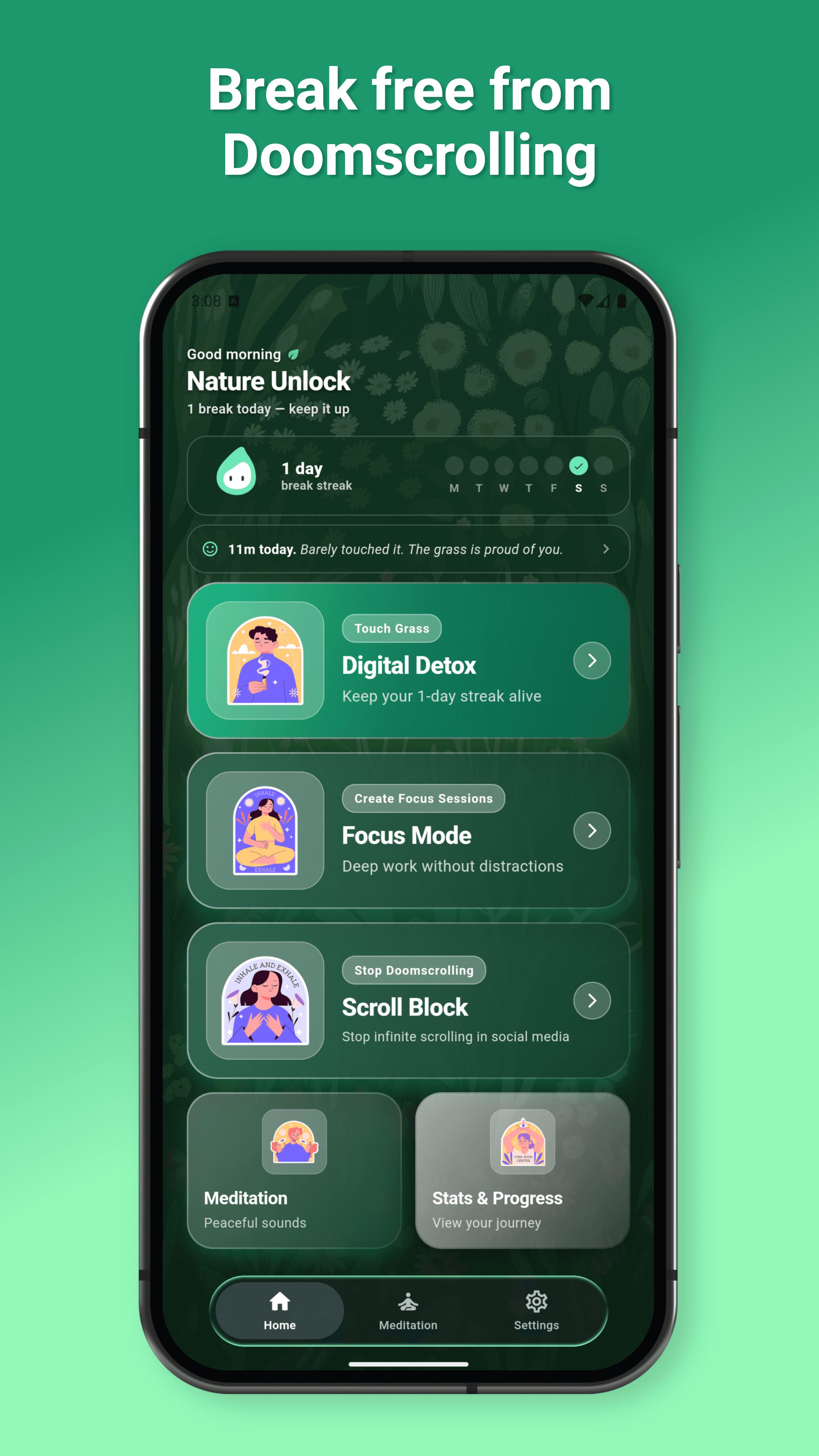
Unlock with real nature
The signature loop. Reach for a blocked app and Nature Unlock asks for proof you stepped away.
- Open a locked app — Nature Unlock steps in instead.
- Tap unlock and the camera opens.
- Photograph a real tree, flower, or your hand on grass or snow.
- AI confirms it's genuine (screenshots don't pass) and your apps open for the session you chose.
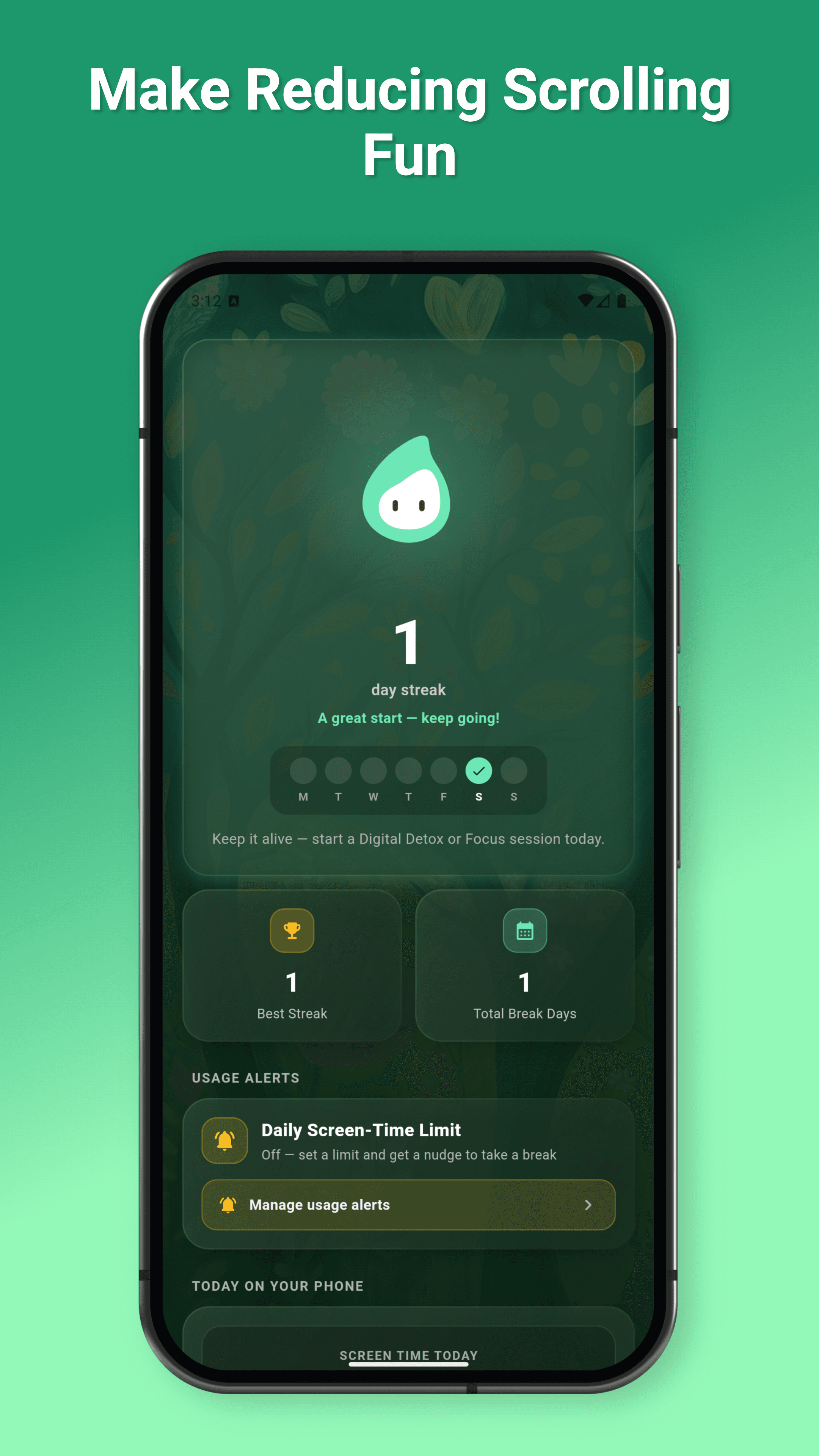
Streaks & honest screen-time
Progress you can feel, without another guilt-trip dashboard.
- Every day you take a break adds to your streak.
- See your best streak, the trees and flowers you've found, and total break minutes.
- A monthly heatmap shows your real screen time at a glance.
- Set a daily limit and get a gentle nudge before you blow past it.
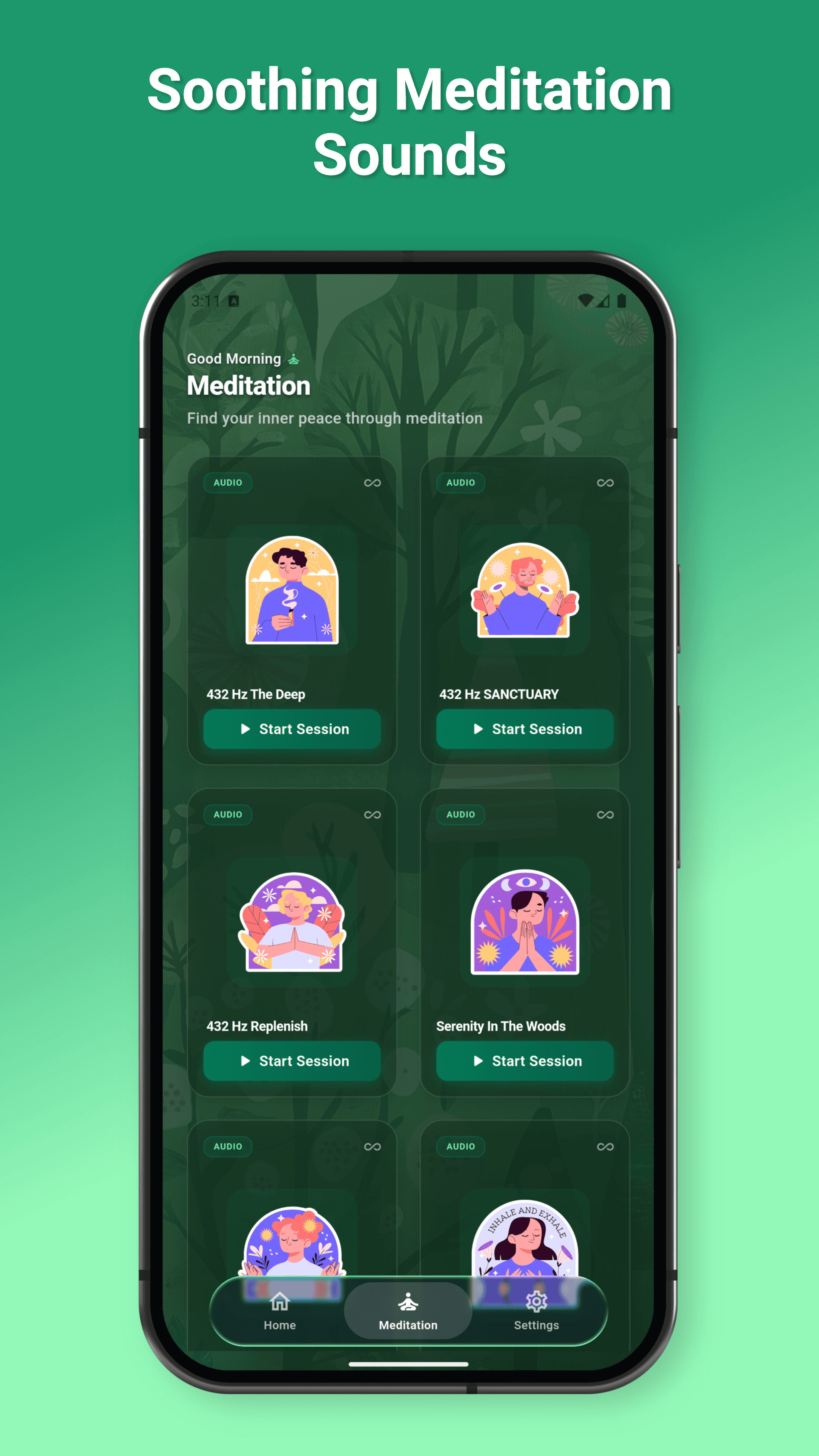
Meditation & breathing
Somewhere calm to land when you put the phone down.
- Pick a calming nature soundscape from the free library.
- Or generate an AI meditation shaped around how your day actually felt (Premium).
- Follow the guided breathing — inhale, hold, exhale.
- Use it during a focus pause, before bed, or any time you need to reset.
Also included
Website blocking
Block distracting sites too — across Chrome, Safari, Firefox, Edge and more.
AI-personalised meditations
Short, made-for-you sessions generated from your mood (Premium).
Daily motivation
A small, genuine prompt each day to keep the habit going.
Private by default
Detailed screen-time stays on your device. Unlock photos are never stored or sold.
You’re not imagining it
Researchers and governments worldwide are reaching the same conclusion: endless scrolling has a real cost — to focus, mood, and sleep. Here’s the short version.
Attention is fragmenting
The average time we hold focus on a single screen has fallen to about 47 seconds, down from roughly 2.5 minutes two decades ago. Constant switching trains the brain to expect interruption.
Prof. Gloria Mark, UC Irvine — “Attention Span” (2023)It taxes your thinking
Just having your phone within reach measurably reduces your available working memory and problem-solving capacity — even when it's face-down and silent. (It's a drain on focus, not a permanent IQ change.)
Ward et al., J. of the Assoc. for Consumer Research (2017)It's linked to low mood
Heavy social-media use is associated with higher rates of anxiety and depression in young people, and the rise in teen distress has tracked the shift to a phone-based, scroll-based daily life.
U.S. Surgeon General Advisory (2023); J. Haidt, “The Anxious Generation” (2024)It hijacks reward & sleep
Infinite feeds exploit the brain's dopamine reward system the way slot machines do, and late-night scrolling quietly steals the sleep that protects mood and focus.
Dr. Anna Lembke, “Dopamine Nation” (2021); Center for Humane TechnologyGovernments are stepping in
Passed a world-first ban on social media for under-16s.
Smartphones banned in schools, with a “digital pause” extended to younger students.
Limits on minors' online gaming, plus a proposed “minor mode” capping daily phone use.
Surgeon General advisory on social media & youth mental health, and a call for warning labels.
The Digital Services Act targets addictive and manipulative “dark pattern” design.
Recommends strict screen-time limits for young children.
You don’t have to wait for a law — or rely on willpower. Nature Unlock lets you draw that line yourself, starting today.
Questions, answered
Everything worth knowing before you download.
How does Nature Unlock actually work?
You pick the apps and websites that pull you in, and Nature Unlock locks them. To open them again, you step outside and photograph real nature — a tree, a flower, or your hand on grass or snow. On-device and cloud AI checks the photo is genuine, so screenshots and photos of photos don't pass.
Is Nature Unlock free?
Yes — it's free to download. The free plan includes daily app blocking, daily nature-photo unlocks, Focus Mode, meditation sounds, breathing exercises, and your stats. An optional Premium subscription (monthly or annual) adds unlimited blocking and unlocks, an ad-free experience, longer block durations, and AI-personalised meditations.
What's the Scroll Blocker — and is it on iPhone?
The Scroll Blocker is Android-only. It cuts the bottomless feeds inside TikTok, Instagram Reels, YouTube Shorts, and Snapchat Spotlight while the rest of each app still works. On iPhone you get app and website blocking plus Focus Mode, but not the in-feed scroll blocker.
How is it different from Forest, Opal, or One Sec?
Nature Unlock is free to start, where Forest is paid, Opal runs around $99/year, and One Sec is a subscription. Its signature is the 'touch grass' unlock — you photograph real nature instead of tapping past a timer — and on Android it can block the Reels, Shorts, and TikTok feeds directly.
Can I just bypass the blocking?
It's built to make that hard. On iPhone it uses Apple's Screen Time (Family Controls); on Android it uses an accessibility guard. The point is to add a small, real bit of friction so you pause before you scroll — not to be defeated in two taps.
Are my photos and screen-time data private?
Your unlock photos are sent to Google Vision/Gemini only to detect nature — they aren't used to identify you, and aren't stored, shared, or sold. Detailed screen-time figures are produced on your device and stay there; only simple anonymous usage counts (to enforce free-plan limits) reach the backend.
Which devices does it support?
iPhone (iOS) and Android. Focus Mode and nature-photo unlocking work on both; the Scroll Blocker is Android-only.
Built by Walid Islam
Berlin, Germany
A solo-built app blending behavioural psychology with thoughtful design. Open to collaborations, partnerships, and new projects.
Your hours are waiting outside.
Download Nature Unlock free, block the doomscroll today, and trade the feed for something real.


Free to download · iPhone & Android